
Seamless Connectivity, Everyday Elegance
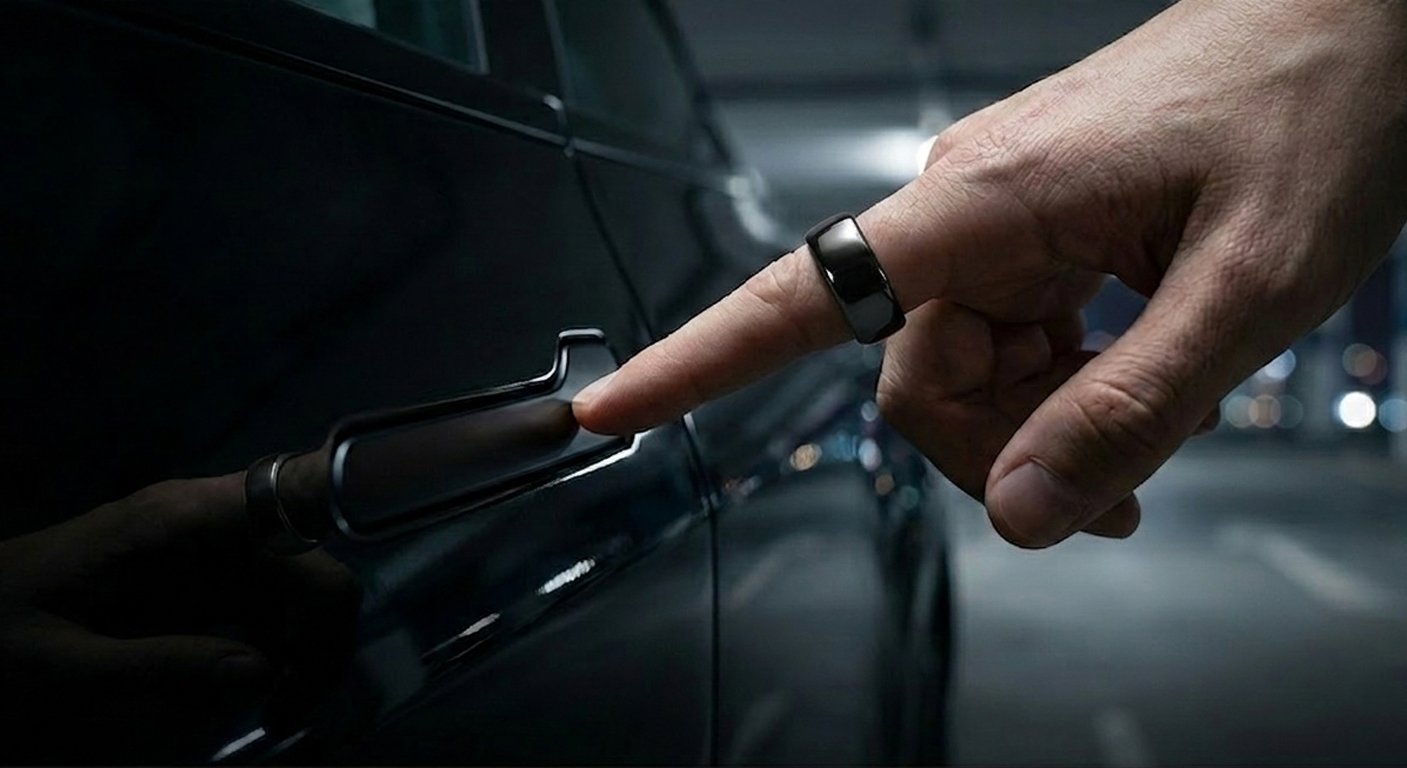
Say goodbye to dead phone batteries and lost cards. Tesla Key Ring—a battery-free NFC ring that unlocks your Tesla. Supports Model 3/Y/S/X.
As a Tesla owner, you already know the convenience of using your smartphone as a key. But what happens when your phone battery dies, or when you want to travel light for a surf session or an intense gym workout? Carrying a physical key card isn’t always ideal. Today, we are introducing a perfect solution that combines cutting-edge technology with minimalist aesthetics: the Tesla Key Ring. It is not just a “magic key” for future mobility; it’s a fashion accessory that highlights your personal taste.
The Tesla Smart Ring is a wearable device equipped with a built-in NFC (Near Field Communication) chip. It works exactly like the official Tesla key card but is cleverly encapsulated in an elegant ring. With just a gentle tap of your knuckle against the B-pillar sensor, your Tesla locks or unlocks instantly.
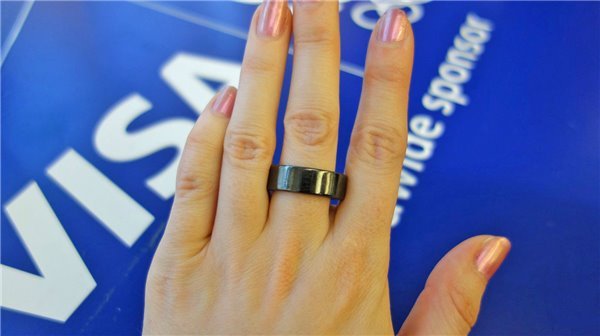
Unlike smartwatches or phones that need constant charging, the Tesla Ring utilizes passive NFC technology. This means it requires no battery and no charging. Whether you leave it in a drawer for months or wear it every day, it is always on and ready to go.
Whether you are swimming in a pool, surfing at the beach, or taking a shower, there is no need to take it off. Premium Tesla rings are typically crafted from microcrystalline zirconium ceramics, carbon fiber, or titanium alloys. They not only feature IP68-level deep waterproofing but are also highly resistant to everyday scratches.
When lending your car to a friend or using valet parking, simply take off the ring and hand it over. There is no need to hand over your smartphone or go through the hassle of remote authorization.
Tesla’s core philosophy is all about minimalism and a futuristic vibe, and the Tesla Ring perfectly inherits this DNA. It is far more than just a functional car accessory—it is an excellent fashion statement.
Premium Materials: From the jade-like smooth finish of black/white microcrystalline ceramics to the hardcore, track-ready vibe of carbon fiber, there is a style to perfectly match your daily outfits and your Tesla’s interior.
Invisible Tech: From the outside, it looks like a simple, high-end piece of jewelry. There are no clunky buttons or flashing LED lights, perfectly hiding top-tier technology beneath a stylish exterior.
The mainstream Tesla smart rings on the market are fully compatible with the following models (please check specific product details):
In an era where everything is connected, lightening your pockets and simplifying your routine is the ultimate luxury. The Tesla Key Ring transforms the car key from a mere “tool” into an effortless experience. If you are looking for the coolest Tesla accessory or the perfect gift for a Tesla owner, this magical ring—where fashion meets technology—is the ultimate choice.
👉 Click here to shop your exclusive Tesla Smart Ring and explore more styles!
Is compatible with Model S and Model X vehicles produced in 2021 or later and all Model 3, Model Y and Cybertruck vehicles. Access is granted from the driver’s side.
You can connect one ring to multiple Tesla vehicles simultaneously, as long as they are compatible with Nexuvell ring.
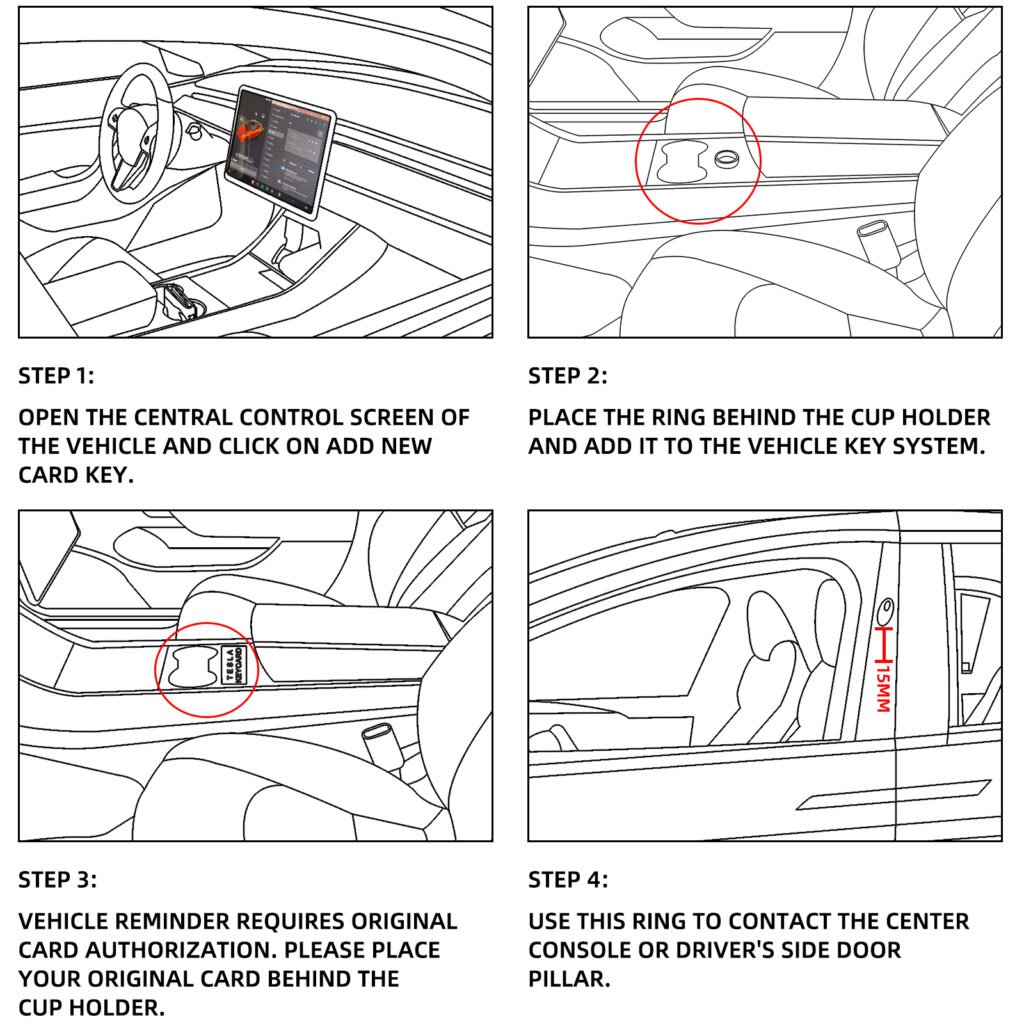
1:Setting
1. Tap the little vehicle button in the lower-left corner of your screen.
2. Tap “locks”.
3. Tap “+” your tesla model 3 or Model Y screen will show “add a phone key” or “add a key fob or key card”.
4. Put the smart key ring on center console area where you put your key card.
5. The screen will show “tap existing key card to approve”, then remove key ring and put your key card;
2: Find the right sensor spot on the B pillar under the driver side camera.
3: The ring transmits a signal from a circle, therefore you have to touch your knuckle onto the B pillar (knocking position) and do not touch the ring directly to the car.
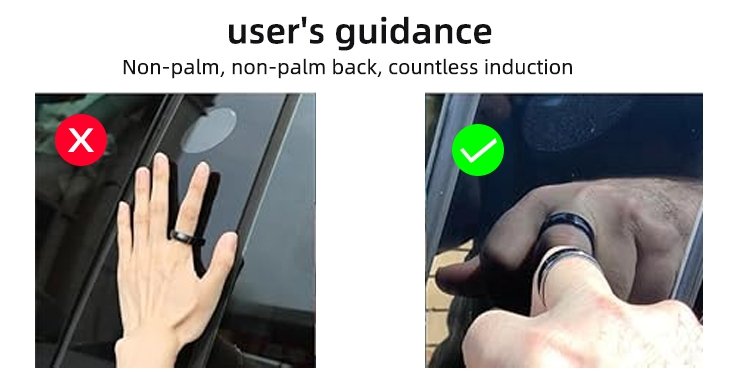
Step 1: Find the right sensor spot on the B pillar under the driver side camera.
Step 2: The ring transmits a signal from a circle, therefore you have to touch your knuckle onto the B pillar (knocking position) and do not touch the ring directly to the car.
Avoid exposing the ring to chemicals and detergents as this can damage the finish. Additionally, we recommend removing the ring when lifting weights to prevent any potential damage.
NEXUVELL never needs charging. with its convenient functionality, you no longer have to worry about being without keys when your phone battery is dying or when you want to spend time without carrying a mobile phone. Experience the peace of mind it provides.
